Why I Never Make My Saved Recipe Videos

Peace Akinwale is a B2B SaaS content writer and strategist who specializes in bottom-of-funnel content. Over six years, he's grown a client's organic traffic by 233% (by prioritizing BOFU comparison content and long-tail keywords), contributed to a team that increased an HR tech company's traffic from 3k to 16k monthly visitors, and built AI-powered editorial workflows using Claude Code to improve content quality at scale. He's also co-founding UseGarde, a product that turns instructional videos into searchable text guides. Works best in environments that value serious work and chitchats to promote camaraderie.
I opened my TikTok saved folder yesterday. About 40 recipe videos stared back at me.
That garlic butter pasta from November. The sheet pan chicken from last week. Even the sourdough bread my wife told me we should recreate. See them:
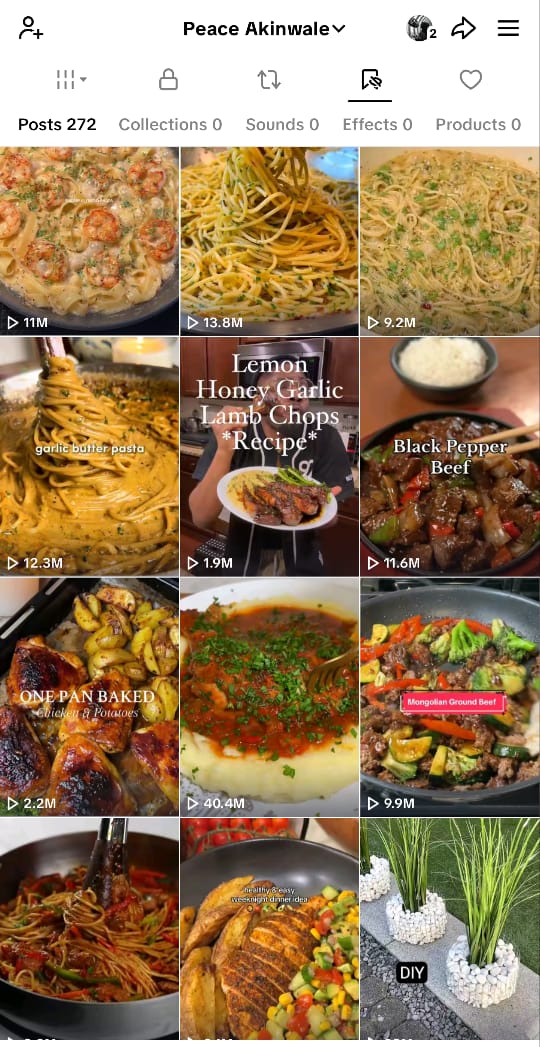
We’ve cooked exactly zero.
This isn't a confession about laziness or lack of discipline. It’s about the friction I experience between what I "save for later" and what I "actually end up cooking", and it's not anybody’s fault.
Here's what's actually going on and what I learned after trying to fix it.
What's Actually in My Saved Folder
Let me show you a breakdown of my 42 saved videos:
Quick dinners (supposed to take <30 minutes): about 18 videos
Four different versions of garlic butter pasta
Five stir-fry variations that looked fast
The "emergency dinner" someone made with pantry staples
Weekend projects (ambitious stuff I'll "totally make someday"): 12 videos
Homemade ramen (45-minute video, looked incredible)
That layered pasta thing with three types of cheese. OMG, this one with biteswithesther gave me goosebumps.
Fresh pasta from scratch
Sourdough bread (saved during lockdown, still there)
Even some DIY projects like this tire outdoor chair are still there.
Baking/dessert: 7 videos
Chocolate chip cookies (four different recipes—which one is best?)
DIY no-knead bread
Cinnamon rolls that require overnight proofing
There's so much more.
The pattern I wanna show here is that I save when I'm aspirational (scrolling during lunch break, lying in bed at night), not when I'm actually hungry and deciding what to cook.
The Real Reasons These Videos Sit There
This isn't about lack of willpower or motivation. There are three specific friction points that make saved videos almost impossible for me to use:
1. The Playback Mess
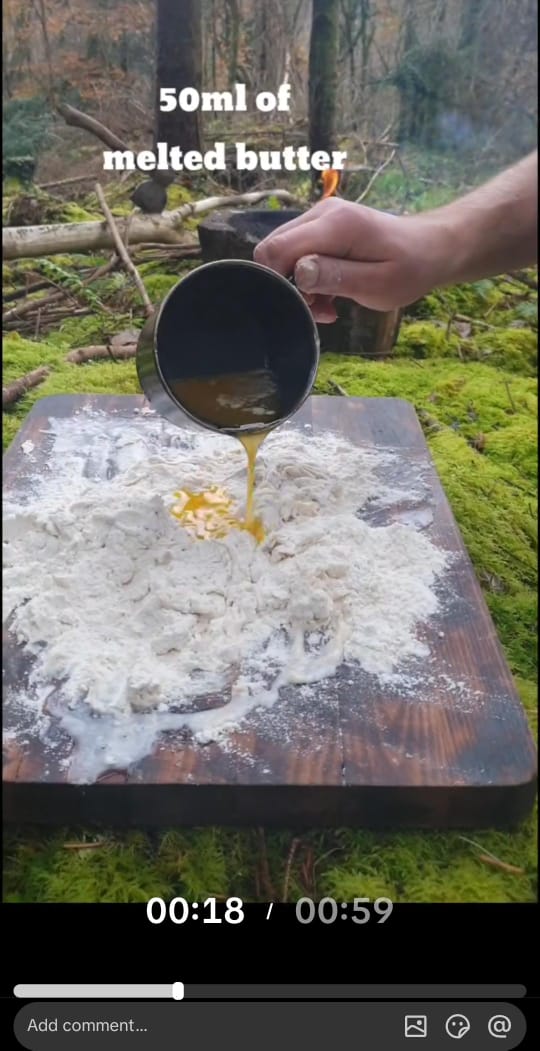
Try to cook from a TikTok video.
You'll have to pause to check the ingredients, and if you hit play, the video auto-advances to the next one (usually an ad).
You swipe back. You missed the part about how much garlic or the measurement or the size of the butter.
You rewind. Your hands are covered in chicken sauce already, depending on what you are cooking.
You can't swipe properly, so you paused. The screen times out. You unlock it, but you've lost your pace.
The truth about short-form cooking videos is that it’s hard to reference the content while you cook.
Videos don't pause themselves when you need them to, and they rarely have a "just the ingredients list" view. Videos are designed for watching, not cooking.
So the average person could rewind a recipe video 8-12 times while cooking. It’s not a you problem though, it’s a format problem.
2. The Information Gap
Most recipe videos on TikTok and Instagram are short, and show you what you need to know.
We can even say they prioritize aesthetics over clarity, which is alright.
They look beautiful. They're quick. They're also missing critical information.
What you see:
A hand pouring melted butter into a pan (but how many tablespoons?)
Something baking (but at what temperature?)
"Season to taste" (with what? how much?)
A perfectly plated result (that took 45 minutes, not 20 or 60 seconds)
You also don't see/know what to do if you don't have that specific ingredient, or why certain steps matter (so you know if you can skip them).
Even if a recipe is detailed in the caption, you can’t copy captions on TikTok and IG and paste it into your notes.
You have to write it out manually, which adds friction most people won't overcome.
3. The Organization Black Hole
Let's say you saved 42 videos across TikTok, Instagram, and YouTube. My wife has over one thousand, really. But where are they now?
TikTok saved folder: chronological chaos, no categories, no search.
Instagram saved: better with collections, but still just a reverse-chronological feed. You'd even have to long press the screen to pause a video.
YouTube playlists: if you remembered to add it to a playlist (most people just like the video). You can also recover it here, but when you're standing in your kitchen at 6 PM, hungry, trying to remember that pasta video you saved three weeks ago... where do you even start looking?
The effort of finding the video, rewinding through it to get ingredients, pausing to write them down, going to the store for the things you don't have, coming back, and then cooking from a video format that requires constant rewinding—it's easier to order takeout.
And that's what you do, even if you'd rather cook.
But the chaos and merry-go-rounding is overwhelming, which is why the simple solution is to order takeout.
What Actually Works So You Can Make the Videos
I tried to fix this. Here's what didn't work:
1. Didn't work: "I'll just be more disciplined about cooking."
Why it failed: Discipline doesn't fix friction. The playback problem still exists. The information is still missing.
2. Didn't work: "I'll screenshot the important parts."
Why it failed: Ended up with 10+ screenshots scattered in my gallery, out of order, hard to find.
3. Didn't work: "I'll manually write them down in Notes."
Why it failed: Takes 10-15 minutes per recipe. Did it twice, never again.
Here's what worked:
1. Extract First, Save Second
I stopped bookmarking videos and turned it into a readable format immediately.
I built (and started using) Garde because it extracts recipe videos into text format automatically—ingredients list, step-by-step instructions, timing notes.
You'd simply paste the TikTok/Instagram/YouTube link, wait 30 seconds (can be longer if there’s no narration, just demonstration), and you've got a recipe you can actually cook from.
The time investment: – 2 minutes per video (vs. 15+ minutes manually transcribing).
The result: I have the recipe in readable format.
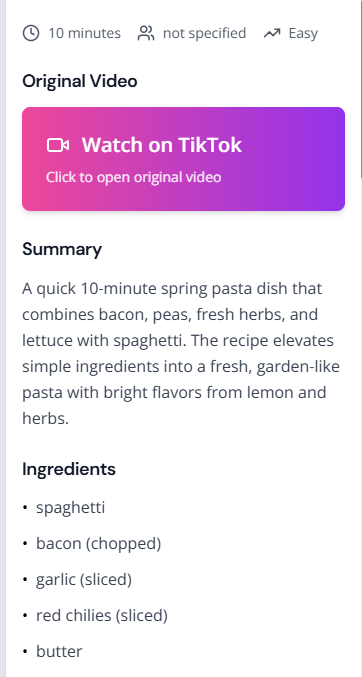
Here’s what the instructions look like:
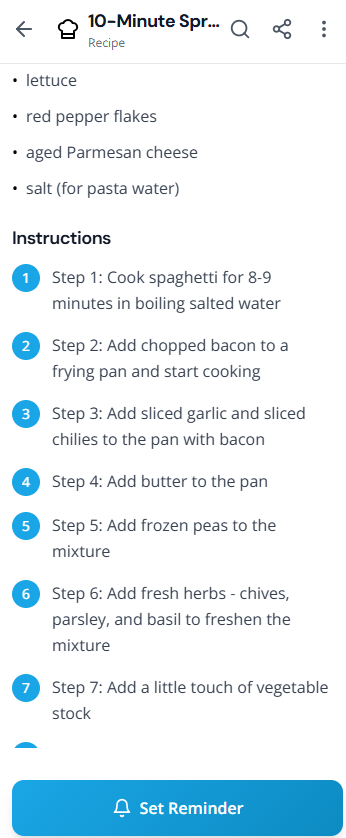
I can glance at my phone while cooking without rewinding. I usually just extend my screen time, so it won’t time out while I cook.
If I need to see the technique, the original video is linked, so I can easily watch it again.
2. Make It a Meal Plan, Not a Collection
The second shift: saved videos aren't useful until they're scheduled.
I stopped treating my saved folder like a recipe box and started treating it like a meal planning system. Every Sunday, I pick three recipes from my Garde collection for the week.
I target days like Monday, Wednesday, and Friday. Sometimes, weekends.
The other nights are leftovers, takeout, or whatever happens. This is the 3-Recipe Framework (we'll write about this more), and it's the only meal planning approach I've stuck with for more than two months.
There are weeks I add so much more food, as you can see below, but I don’t always make them:
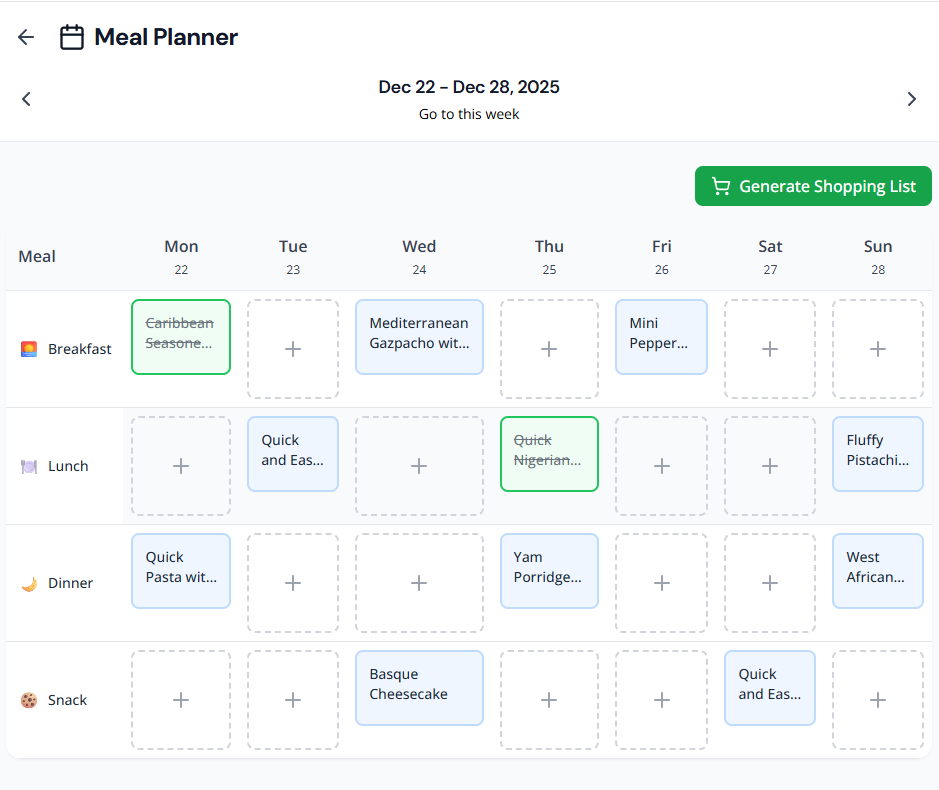
However, if there's a special day in the week, I pick more recipes. And if I have more time on my hands, I cook everyday, so I schedule what to prepare through the Meal Planner feature on the Garde app.
3. Generate the Shopping List Automatically
The third shift: don't manually combine ingredients from multiple recipes.
If I'm making three recipes this week, I can use Garde to generate one consolidated shopping list. "3 recipes need garlic" becomes "1 bulb garlic" (not "garlic" listed three times). The app knows how to combine and consolidate.
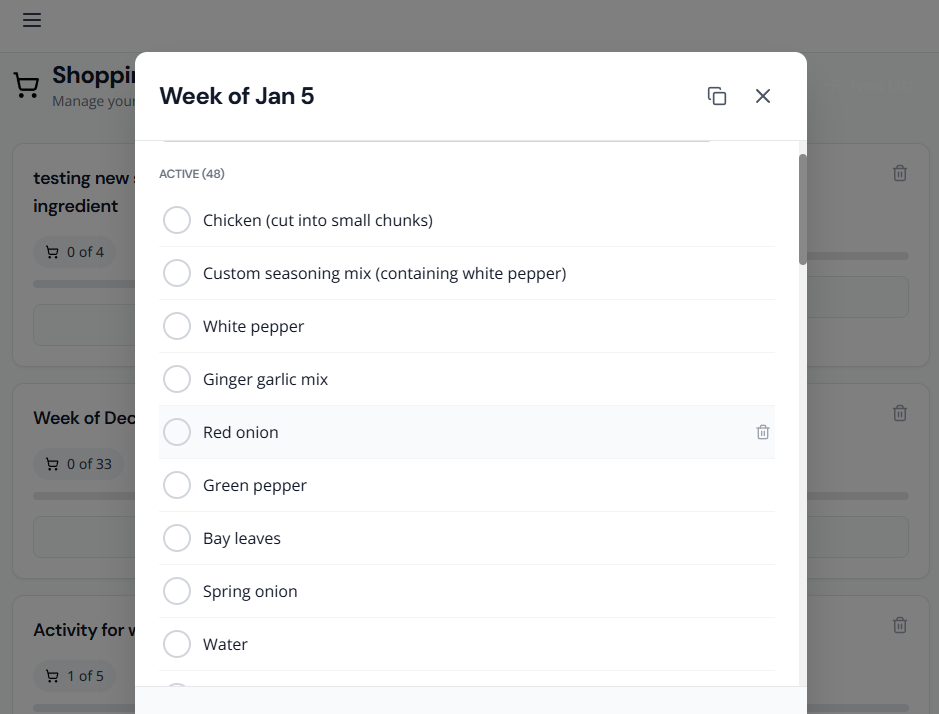
This is the view of Garde as a web app btw.
Time saved: ~15 minutes I used to spend writing out ingredients, crossing out duplicates, organizing by grocery store section.
The Bigger Lesson: Saved Content Is Potential Energy
Here's what I learned after three months of actually cooking from saved videos instead of just collecting them:
Saving a video feels productive. It feels like progress because you've captured something valuable. But saved content is potential energy until you make that meal.
The gap between potential and action is systems, not motivation or discipline per se. Which is why Garde is a good place to start.
Systems that work:
Reduce friction: Extract videos into readable format to remove the playback problem.
Add structure: Turn saved videos into weekly meal plans so you don’t overthink what to make.
Automate the boring parts: Generate shopping lists automatically to remove the manual writing-out-a-shopping-list-work.
I now cook from my saved videos 3-4 times per week. And if you’re like me and my wife who watch multiple videos on a particular recipe before we choose the one we’d actually use, Garde will come in handy.
So, try this
If you have 20+ saved recipe videos you've never made, here's the smallest viable step:
Pick one video (the simplest one, not the most ambitious)
Extract it into text format (use Garde or manually transcribe if you have time)
Cook it this week—not "someday," this week
If it works, do it again next week. If you actually love it, you can make it. And Garde helps you make it with as little friction as realistically possible.
Sign up for Garde now. You can save three videos without paying a dime. Let me know if it worked well for you.
